Ep 17, S3 - The Accidental Accessibility Expert's Guide to Getting Started - Karen Pellegrin
October 28, 202631:03
About this episode
So, you're the accessibility person now. Where do you even begin?
For many government teams, digital accessibility becomes part of the job without a roadmap or formal training. The good news? You don't need to have all the answers to start making meaningful progress.
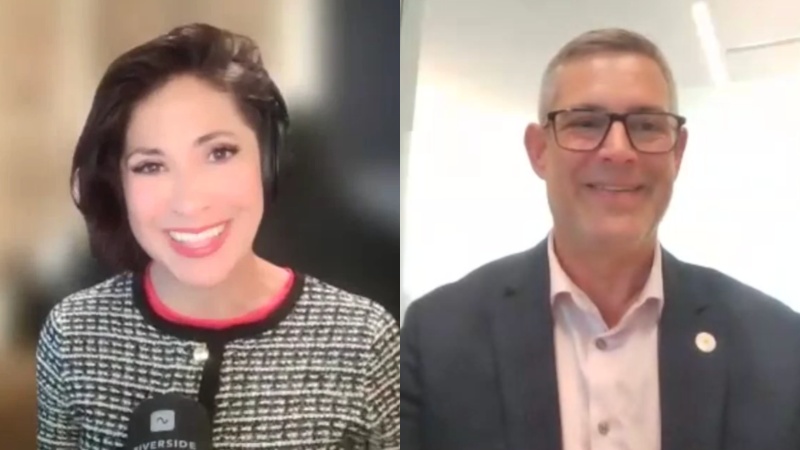
Michelle Alimoradi sits down with Karen Pellegrin, Senior Manager of Colorado's Technology Accessibility Program, to explore what she's learned as an accidental accessibility expert. Drawing on her experience building Denver's citywide accessibility program, Karen shares how small improvements, staff training, and accessibility champions can help turn good intentions into everyday practices.
What if accessible video didn't have to mean extra work? Karen explores how thoughtful workflows, emerging AI tools, and human expertise can help teams make accessibility part of the production process.
—
GVP Listener Offer: Start building your audio description workflow now with an extended 30-day evaluation of MediaScribe Narrate, including training and support at no cost and no obligation to buy. Sign up at app.mediascribe.ai and use code GVP30.
—
This episode is brought to you by MediaScribe from Tightrope Media Systems — helping government teams deliver captions, audio descriptions, and accessible video workflows. Learn more at mediascribe.ai.
View transcriptExpandCollapse
This podcast is for city communications teams and video professionals in government. We talk about expanding service delivery with video and streaming, media accessibility, gear, broadcast and streaming workflows, and more. It's all right here on the government video podcast. The government video podcast is brought to you by MediaScribe from Tightrope Media Systems. Tightrope believes accessibility should never be an afterthought. It should be built in from the start. MediaScribe's award winning captioning and audio descriptions is your end to end solution for accessible government video. Visit mediascribe.ai to start your free trial today. Hello, and welcome back to the government video podcast. I'm Michelle Ali Maradi, and I'm your host this week. Today, we're talking about the friction that folks commonly run into when they start making accessibility a real priority. How do you make progress when you don't have unlimited time, unlimited budget, or the perfect answer for every situation? What does it actually look like to balance compliance with empathy for your residents and for your team. Today's guest will take us into the real world decisions public agencies face as they work to reduce risk, meet ADA requirements, and better serve their communities with digital media. I'm joined today by Karen Pellegrin. Karen is the senior manager of Colorado's technology accessibility program in the governor's office of information technology. Karen leads a team of eight, providing accessibility guidance, resources, and tools for state agencies. And before moving to the state, she spent nearly ten years as a web administrator with the city and the county of Denver. That's including more than five years as the citywide digital accessibility coordinator, where she built out more than a dozen accessibility training resources, made accessibility training mandatory for new content authors, and built a citywide accessibility champions program. Her work has been featured by Granicus as a model for citywide web accessibility strategy, And she has spoken at many accessibility conferences, including Tech Access of Oklahoma and the Colorado Digital Summit. Karen, that is quite the level of expertise you're bringing to us today. Thank you so much for being here. Thank you so much, Michelle. I really appreciate it. It's been a journey. It has. It sounds like it. And I also hear that you haven't been on a podcast for a while either, so I'm excited that we're bringing you back into the podcast world, here on on the government video podcast. Yeah. Thanks. I missed it. I missed you. So before we get into today's topic, I just wanted to hear a little bit about you. What are you really into these days? What are you reading? What are you listening to? Tell us. So I just got into a few things. My summer listening has been Hermonos Gutierrez. Gutierrez. I'm gonna say it wrong. Anyway, it's Mexican guitar music. It's beautiful. They even do compilation with Leon Bridges. It's a beautiful song. So I've been obsessed with that and listening to it all the time. It's it's become my summer music. And then I recently discovered an author from The UK. His name is Tom ***, and he has a number of just the most charming books. The one I'm reading right now is, Villager, and he even did a short excerpt kind of separate story related to that book where it was a kind of like a next door space, and the villagers from this book are talking like they would post in social media like they would on Nextdoor. So much fun. It's just really fun and and charming. And so with all of the things going on in the world, I needed to keep it a little light and and have A little escapism. Yeah. Yeah. A little bit escapism, and so those are my two escapes right now. I love that. I love to hear how, technology is being brought into all of the other media. Right? This sort of, like, pollination. You see that a lot in shows right now too. Yeah. Think that's really cool. In this case, because of social media, it was interesting because of the psychology of it. So getting this experience through social media of people posting... These characters posting back and forth to each other, just... It was just really... Yeah. It's a lot of fun. Well... And as somebody in the digital media space, I feel like it's so, appropriate that you like books that are pulling in digital media discussions. Yeah. Well, it's a first. Yeah. Well, and maybe not so accidental. But but speaking of that, we wanna also hear about how you got into this digital accessibility space as well. There's lots of different aspects of digital media, digital creation, and you ended up in this accessibility lane. Tell us about that. By accident. Yeah. So... Yeah. Because... Well, one of the things that a lot of organizations, especially in government, they don't know who to turn to when it comes to addressing digital accessibility, especially when it's first introduced. And I was web administrator. It was me and my teammate, and it was essentially a choice between him and I. And I was already starting to get into it a little bit as part of UX and some of the other work that we're doing. And the city, and county of Denver had a DOJ lawsuit, which a number of government entities have had. This was this was back in 2015, I think. And one of the requirements as part of the settlement was to have that citywide digital accessibility coordinator to coordinate all of this work, your websites, your applications. So, I stepped forward and started diving in, and it's so funny when I started because I thought, oh, we're just gonna add some alt text to images, and that was about all I knew. You know, it was pretty limited. I had some other kind of user experience knowledge, but it was a a little bit of baptism by fire, not knowing what I needed to do and and what we as a city needed to do, and I had to learn really quickly. So I dove in, and I chose it because I wanted to do something more. Like, I was already in government, and I was just posting a lot of stuff on the web. Not that that's not important, but I wanted something more, and this felt really meaningful. I felt like I was making a difference for a whole community and a community that hadn't been given the attention they deserved before. So I fell in love with it, and I, you know, just full on went into it. On top of my web admin job. Yeah. And that's that's also part of this discussion. Right? Is is you're always wearing multiple hats. Yes. I love that story because, we often talk about this threat of complaints or DOJ audits, as this scary thing. But in my conversations that I've had, in my time digging into digital accessibility, it seems like it really just clarifies a lot of things for people. And and that there's a lot of silver linings that come out of it. Absolutely. Know, a lot of people think like, oh, we absolutely cannot allocate as much budget as these requirements would suggest that we need to do. And then lo and behold, you're dealing with a complaint and the and the decision that comes out of it is like a whole new, position that has to be created. Right? Yeah. And so just sort of ask answers that question for people, like, how how could we, possibly find, you know, enough money to do this or enough capacity to do this? And and turns out you're you're probably going to be asked to do more if you wait. Right? Yeah. Yeah. I mean, there's so many metaphors that I think of and I talk about all the time with my team. There's that movie Contact with... Gosh. I can't remember her. Jodie Foster. And in that movie, her dad tells her, small moves, Ellie. And I'm always telling my team that. Small moves. You're consistently making those moves. Some of them are bigger, but even the smallest efforts can have a huge impact. And that's where we started from was making those initial efforts. Another metaphor, grab the low hanging fruit. If you can just take 10 or 15 pages of a website and start looking at the images and tagging them with alt text, you know, a little bit today, a little bit tomorrow, a little bit the next day, you build up. But, yeah, I mean, I know it can be daunting, but one, to your point, getting sued is much more work, much more expensive. And if you're showing those good faith efforts consistently and and, like, building it into your organization, you're gonna get a whole lot further. You're gonna have a lot less risk from a legal standpoint, and you're gonna actually reach so many more of your audience, so many more users. Because when you make products accessible, there are all sorts of benefits. We used to talk about it actually improves search engine optimization. Well, now it does that, but it also improves AI. AI can capture that information. If it's accessible, it can read it better. So there's so many benefits. And then there's this idea of the curb cut effect. So the curb cut effect is curb cuts on sidewalks. They don't just benefit people with disabilities. They benefit the mom with the stroller, the kid on a bike, you know, the person on a skateboard, all of these other people. So when you make it accessible, you make it better for everyone, generally speaking. Right. A a good example that we like to talk about on this show is captioning. Right? How ubiquitous captioning has become now and how it's almost expected at this point. And My TV is constantly on captions. Captions are always on in our house. Same. And on and on my phone typically as well, riding on the bus, and I'm really just, you know, reading a video. Yeah. Rather, you know Yeah. Because you wanna be quiet. Right? You just put on your headphones Yeah. And And if you don't And I think those usability expansion moves, I guess we would call it. You know, you go into it because you have ADA requirements for accessibility, but in the end, what the output is is actually just, increased usability for everyone. Right? Yeah. It's human centered approach. Yes. And, we had another conversation on the podcast not too long ago talking about how, you know, now that everything is transcribed, the value of having everything be transcribed and the types of, you know, reports that you can pull and summaries and Yeah. And just kind of really understanding what you've done. Right? Because sometimes it's harder to remember on your own, like, the accomplishments that you've had over a year or something on a on a project. And then Even in a meeting. So I was just in a meeting earlier, and I was thinking about this and having summaries and transcription available in that meeting. I was writing notes while I was also trying to be a presenter. I couldn't possibly do both and capture all the notes I needed to. I captured the the high level, then I can go back to that summary and catch everything I missed, review it, and add it to my existing notes. If I didn't take notes, I could just have that summary or the full meeting transcript and review them and then send them out to the audience after the meeting. That's so useful for everybody. Right. And so I think, you know, that can definitely be a huge motivator once people really see the value of what these steps actually enable beyond checking all your compliance boxes. Hey, GVP listeners. Before we get back into today's episode, Tightrope Media Systems, the sponsor of government video podcast, has a special offer to help you in your video accessibility journey. Tightrope is the maker of Mediascribe, a platform that makes your government video accessible with automated captioning and audio descriptions. And today, they are offering a thirty day extended evaluation period of MediaScribe Narrate, their solution for automated audio descriptions, just for our listeners. So by going to app.mediascribe.ai, you can sign up for this offer with code g v p 30. Now this offer includes training and support and is designed to help you start planning your compliance workflows today. There's no obligation to buy, and this is TypeRip's commitment to helping teams start figuring out their accessible media workflows right now instead of waiting until the last minute due to budget or procurement limitations or whatever else might be holding you back from getting prepared. MediaScribe Narrate generates audio descriptions for your prerecorded on demand public meeting content, and it's built around how councils and boards actually run. So it prioritizes the most important context like agenda slides, name graphics, and speaker transitions. And that grounding is what helps keep your review steps short. So the accessibility work fits inside a small team's existing schedule rather than adding to it. And solidifying that workflow now instead of waiting until right before the 88 title two deadlines means less to manage later. Tightrope also runs MediaScribe Academy, which is a free resource to anyone working on their content remediation at no cost and regardless of which tools you use to get there. And Tightrope also offers regular educational sessions for Mediascribe users at no added cost. So to redeem this offer, sign up again at app.mediascribe.ai with code g v p, like government video podcast, 30. And start building your workflow today. Now back to the episode. But I definitely wanna get back to this this concept of... We've heard of the accidental techie, but, like, the accidental accessibility expert. So, you know, after you get into it, obviously, you can kinda have these moments to be like, oh, yeah. This is really great. We should really be doing this as much as we can even if it's a slow progression. But just getting started and getting buy in, what was that like for you when you ended up in this brand new position that had just been created? Pretty good in theory, not as good in practice. And that was Tell me about that. Yeah. So not only do you have to educate yourself, part of your mission, so to speak, is to educate everybody else. And so they often don't know what is actually involved in moving to... We call it digital accessibility by default so that you are building in the systems and you're always doing that accessibility work as part of the rest of the development of your products. When you're creating a document, when you're hosting a meeting, when you're working on a website, when you're developing an application, eventually it needs to be built in, but you've gotta ramp things up. So there was a lot of, yes. We need to do this. And when I first started, it was we need to do this because we're legally required as part of the settlement. But I had to figure out what does that mean? How do we do it? How do we get everyone on board? And so I had to start small and then build out. It's like concentric circles. You start with the smallest group that you have that you have access to, and you basically turn them into champions. So you build them up. They're the early adopters. And then while you're doing that, you're informing your leadership of what you're doing so that they also get that awareness and buy in. So you're building buy in. You're not gonna get it out of the gate. Even if you... Even if they say you're gonna get it, you're not gonna get it. Just accept that. But you build it up. Yeah. I love that because it's... You mentioned already that that the... Just the steps to compliance, you're doing a little bit at a time, but it's not just that. There's that same level of, you know, brick by brick when it comes to team or department, buy in. And actually, you're the first person that I've heard put it that way, and I think that's a really great metaphor. What was it like to, you mentioned having to educate yourself first. What was that like? What did you do? Who did you start talking to? Google research. The first thing that I went to just doing Google research, I think, was WebAIM. So WebAIM, they have a website. They're a nonprofit, I believe. They're a nonprofit company. They they do now have some additional services, but they had all sorts of guidance. They're the ones that have a really good color contrast checker, and granted now, after all of these years, there are a ton of those tools out there. But that's kind of where I started along with just researching WCAG, and at that time when I started it was two point o and, figuring out what I needed to start with first. So that is actually one of the easiest things to start with is go to your website and... Sure. There's probably gonna be some things with... That are on a developer side or a platform side with menus. As you're doing this stuff, just kind of have a place to notate issues that you're finding. But start with, okay, we're gonna take this section of the website, and we're gonna add... Check and add alt text and make sure that alt text is meaningful. And I didn't know what meaningful meant, so then I had to go watch a bunch of videos about, okay, what does that mean? And figuring out about context and, okay, the image needs to be described in relation to the context of the content next to it, things like that. So we started with that. We ended up... So I had this group of web authors that our team matrix managed. So we weren't their boss, but we managed them from a a web authoring standpoint, anything they were doing with the web. And we built up their skills after I kind of learned enough things. And so they were learning with us, And then we said, okay, this is what we now need to do for images. Go to your section of pages on the website, check your images, add alt text. Then it moved into, okay, clarifying link text. This is what this means. Go to your website, check all your links. Does it say click here? Don't ever do that again. That is one of my pet peeves. Anytime someone does click here, just makes my skin crawl. But it was those simple things where, like, we're just gonna take baby steps. And then they started wanting to know more, and they started to ask questions, and it was this cascading effect. So we started really small with me learning, then me sharing, then them learning with me, and then we're all doing it together. And so once I had this core group of champions, then I got them to start educating people in their departments, And so then it spread. It was like a network. It was great. And it wasn't just about educating yourself about things that are already out there. You actually took it a step further and started creating a lot of resources for not just your team, but for, you know, the Internet at large. You made a lot of your own contributions including, I mean, one that we talk about on this podcast, obviously, video accessibility. Right? Because there's very few people talking about that. Which I think is interesting. Yeah. Video is interesting because it often involves different teams. Right? It might be on your website, but it's not technically a part of the website. So I think that's... And so I think that's where those handoffs and that knowledge gap kind of happens. And so you actually noticed that there weren't a lot of resources about that, and you made your own. Tell me about that. I did. And it was... There is a a little moment of, like, desperation because then you get these questions of, we need to make this accessible. I don't know how to do it. And so I'm like, well, I kinda don't either, let's go research it. And then to your point, there wasn't a lot of research out there. And even at that time, for instance, YouTube didn't have any of their captioning, transcription, They had none of that built into their platform. So we had to figure it out. They eventually got some captioning functionality, but, yeah, I I just did research and listened to our web authors, and we kind of built it together a little bit because I had built kind of an outline of this guidance and then took feedback from those web authors where they were saying, well, I have a problem with this, or what are we supposed to do with this? And do we have to worry about the controls? And I was like, well, here are the rules on the controls, but you don't have to worry about that part. And then here is the guidance when you're developing video. That's the part you and your team have to worry about. And giving them some best practices so that they know how to get started. That was another problem that they had. They're like, we don't know where to start. And I thought, well, if you were making a movie, how would you start? You would start with a script. Right? Start with a script. And if you start with the script, make sure that accessibility is included. So for instance, if you needed to have audio description, you made enough pauses in your script to include describing whatever you've got on screen? And it's like storyboarding. You know? You storyboard it. You script it out. We have to teach people to do that because honestly a bunch of them were like, well, we're just going throw this together. They weren't thinking through any of that stuff and how they would communicate to different audiences, including people who are blind or have low vision, deaf or hard of hearing, deaf blind, like there was all of these different scenarios that we had to educate on. Yeah. Anyway, that's that's kind of... I don't know if I actually answered your question, but that's kind of where we headed was started from scratch, found the research that we can, put together some quick guidance. I mean, bullet points even. Like, here are the things you should consider, and then we started building it out from there. It was process, and it included feedback from all of the people we had been talking with. And you were doing this before AI was so ubiquitous. Right? You were doing this before ChatGPT could just do the research for you. If you had to advise the next accidental accessibility expert with the tools we have today, what would you tell them? I would say if you were gonna use AI today, use that AI to help you script things out. There's gonna be that point where if you tell the AI, here's what I want in a script, and I need pauses in these areas, you can continue to tweak it, but it'll help you build out that script. You still have to have that human level review, but it's gonna make things faster and more efficient. And there are so many tools out there who... That can do that kind of stuff for you. Dedicated video tools that have that built in, along with different types of other AI. But, yeah, I I would say that the rules from a process standpoint are generally the same where you need to script things out. You need to consider what your captions are gonna be like and where you need those captions and how do you break captions scene by scene or, you know, frame by frame. Same with audio description. But you can be more efficient with it now using AI instead of having to do everything from scratch. And then once you get a process in place, you can even build AI automation or use tools that do AI automation to say, here are the parameters. Now go make me some scripts. Now go make me some captions. Go make me audio description. You know? All of those things. And then using tools that already have AI in them now, to check all of that, making sure that, you know, you've hit all the spots you need to. It's kind of like a AI version of a checklist. You know, we had all those manual checklists. You know, here's a document, and I'm gonna make sure I do all of these things. You can now build all of those rules into AI. Where would you point people for the initial research that they need to do to start educating themselves on, what what digital accessibility is, and best practices? Yeah. So you could go to the WCAG, but they're very tech heavy. It's, you know, technical documentation, Very good to reference, but there are all sorts of organizations that reference it. And one of the big things that came out of the w three c and the w k was this group. It was the web accessibility initiative or WAI. I would start there. They have so much great research and, tool, like, on tools and process, how to do this stuff. They cover video. There's a great section on video. I would probably start there. And then from there, I mean, there's tons of guides out there. If... Especially if you're in government, there's not only a lot of government focused guidance out there. There are a lot of groups out there, so you don't have to do it alone. I'm part of, National Association of State CIOs. It's it's a government nonprofit group, and it's a bunch of tech people. They have a multistate accessibility group. It's like a community of practice. They come together regularly, like every month, and we share problems. We solution together. We share resources. Leverage the people that are in your world and the people who are doing this work. So beyond just going to, like, WAI or some of those other guidance websites, WebAIM is also a really good one. Reach out to those other people. Reach out to local government or state. You know? Section five zero eight, there's a great group there too, the federal government. So that's a lot of the resources that I use, and that's how I even got started. Thank you so much, Karen. We've been chatting with Karen Pellegrin, the senior manager of Colorado's technology accessibility program. Thanks so much for joining us today. Remember folks, the teams that make the most headway on their digital accessibility journey aren't the ones waiting for the perfect plan. They're the ones who keep moving. They're the ones who start now even when the situation isn't ideal at the beginning. So if you found this conversation valuable, please like, please subscribe, please share it with a colleague who you think would find it useful, and thanks so much. We'll see you next time on the government video podcast.


 23:25
 20:10
 23:46